Find your way in SAP® Transaction codes (1)


Today I will show you the first of two tricks when dealing with SAP transaction codes („T-Codes“).
The article is about searching for a certain SAP T-Code or it’s meaning in SAP, or how you can create a list of all T-Codes that are available on your SAP system.
Today’s example can be applied by anyone who has access to SAP. Next week, same time, same place, I will give you a second example, which will then be based on an actual SAP table. For next week’s example you will need to have at least transaction SE16 for using the data browser in SAP, or you will need to download the data directly via dab Nexus and look at it there.
But – first things first, let’s start with the first example:
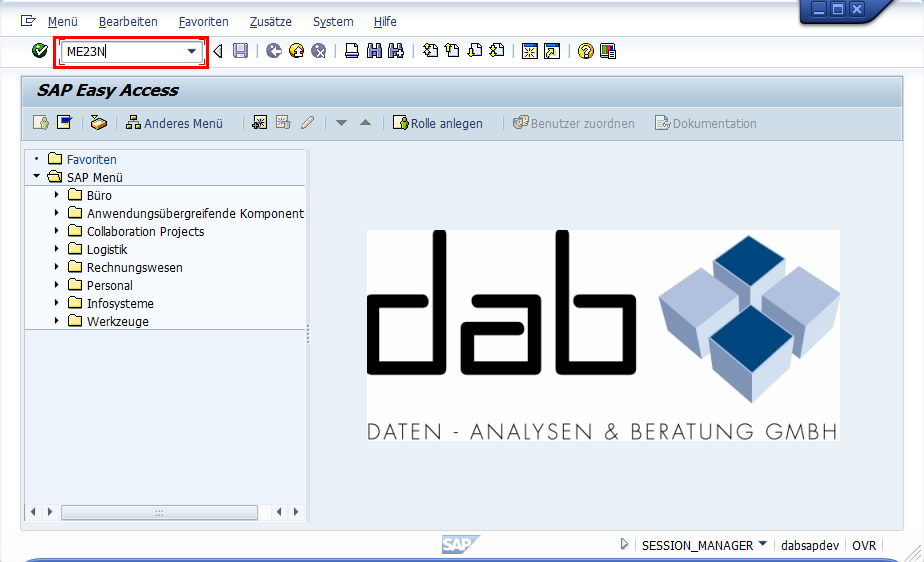
When using SAP, transaction codes can be entered directly in the command field in the upper left corner of the screen. In the following screenshot I entered transaction ME23N, which is used for displaying a vendor purchase order.
So as long as you know what T-Code to use, it’s fine. However, sometimes you might be looking at a certain topic, but not know any relevant SAP transaction code at all.
The following trick might help:
There is a transaction called “SEARCH_SAP_MENU”. This one allows you to enter search terms, and as a result you will receive a list of SAP transaction codes, which might have to do with what you are looking for.
To do so, just enter „SEARCH_SAP_MENU“ into the commando field….

… type in your search terms, in my example I used „Vendor“ for vendor-related transactions…

… and then you will receive a list of SAP T-Codes, which are potentially related to what you are looking for. The list contains the results, but also the nodes which tell you how to locate the transaction in the user menu tree. This might make things easier to look “around” a certain topic in the next steps.

I hope that this makes your life a bit easier when looking for something in SAP. Next week I will show you another way how to find your way in SAP transaction codes.
Content Listing
Share This Article